If you have already released songs as singles, you can include those same recordings in an EP or album by creating a new release that compiles them. For platforms to correctly identify each track as the same recording, it is important to keep certain elements unchanged.
To compile your singles into an EP or album
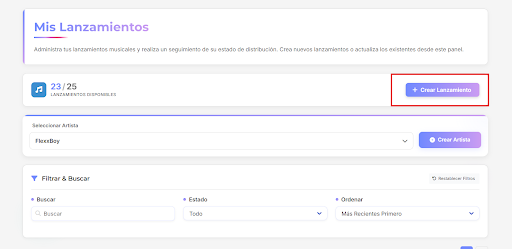
1. Create a new release
Create a new release through your distributor and select the format EP or Album.
Go PRO today and unlock all the tools for your music
2. Build the project’s tracklist
Add the songs you previously released as singles. You can also include new unreleased tracks to complete the project.

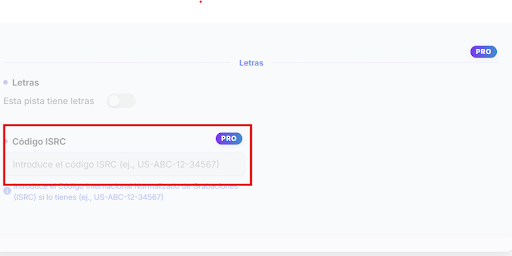
3. Keep the same ISRC/UPC
Each song must keep the same ISRC from the original release so the platform recognizes it as the same recording. (A Pro membership is required to complete this process.)
4. Keep the metadata consistent
Make sure to keep the following information the same:
-
Track title
-
Main artists
-
Audio version

Compiling your singles into an EP or album allows you to organize your catalog and present your songs as part of a complete project. By keeping the same ISRC, audio file, and metadata, platforms can correctly recognize each recording within the new release.
This can help you structure your discography more clearly, make it easier for listeners to discover more of your music within a single project, and strengthen the presence of your catalog across streaming platforms. 🎵