Sometimes, it’s very useful for artists to know their Spotify profile ID, especially when adding features or needing this information to ensure all data is entered correctly and the music is added to the right profile. Don’t worry! Here’s how to get it easily and quickly.
How to find your artist ID on Spotify:
Go to your artist profile on Spotify: Open your preferred browser and search for your Spotify profile. Click on it to see all the details of your profile.
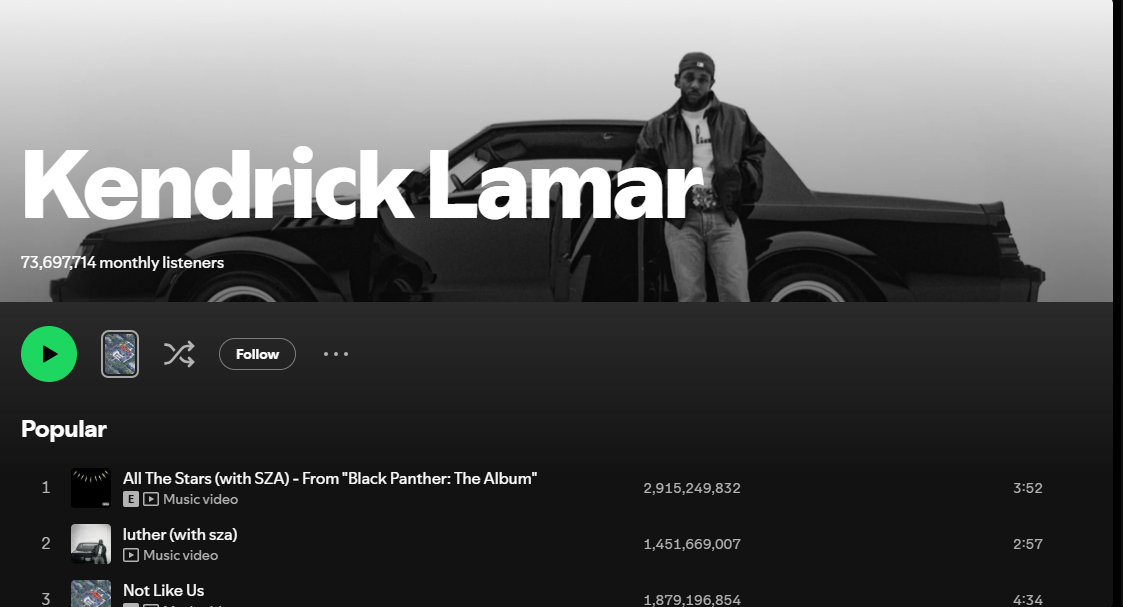
🚀Subscribe now and boost your music — it’s free.
2. Find the ID in the URL:
Once you’re on your profile, look at the address bar of your browser. The ID of your Spotify profile is located at the end of the URL, right after the last slashes. 🧐
Example:
https://open.spotify.com/artist/5D2rDjNSuB1FGaN9yV2oIA
The ID of this profile is: 5D2rDjNSuB1FGaN9yV2oIA.
Sometimes, it’s very useful for artists to know their Spotify profile ID, especially when adding features or needing this information to ensure all data is entered correctly and the music is added to the right profile. Don’t worry! Here’s how to get it easily and quickly.
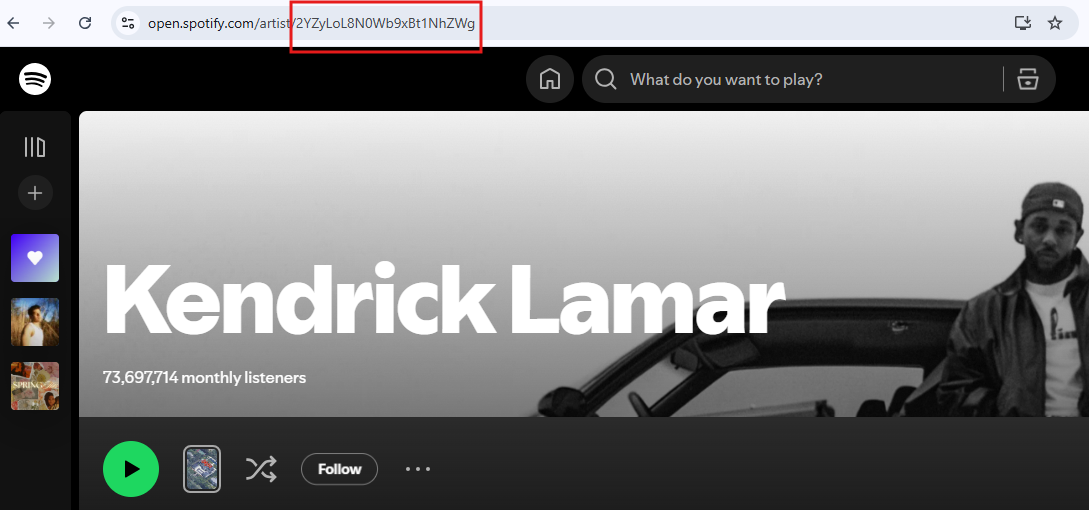
It's that easy! Now you know how to find your Spotify ID whenever you need it. 🎶✨
%20(2).jpg)