If your release has been reopened with an Artist Data Confirmation request, it means our team needs to validate the legitimacy of your musical project.
This process is a vital security measure to prevent the proliferation of "Fake Artists." Our goal is to verify that behind every release, there is a real artist with an active project, thus avoiding generic or artificially created profiles that compromise the quality and transparency of music distribution. This is commonly required for first-time releases if sufficient references were not initially provided.
Steps to Complete the Identity Form
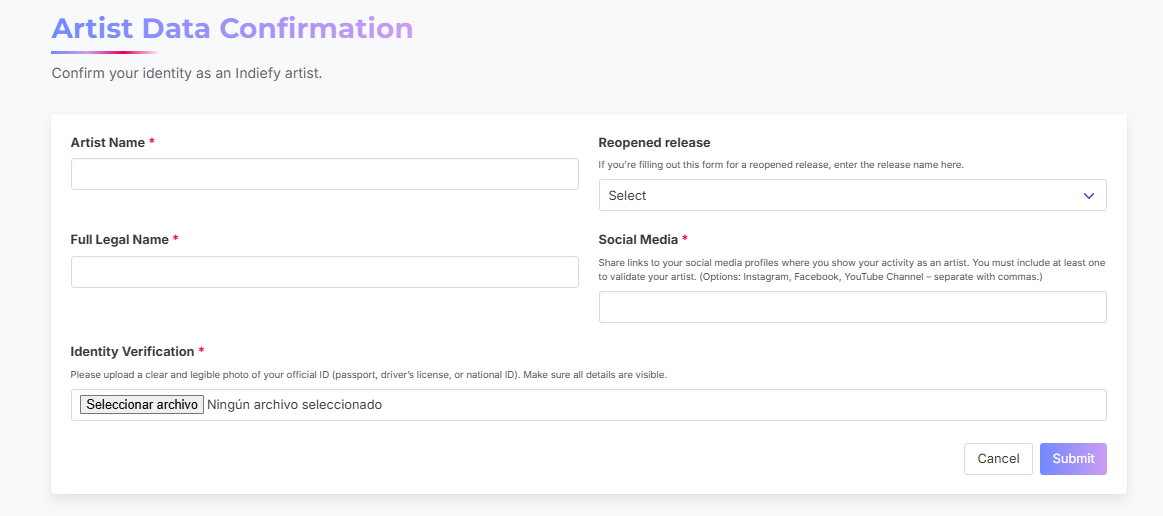
Once your release is reopened, go to your distribution dashboard, access the form, and provide the following:
-
Artist Name: Enter your official stage name.
-
Select the Release: Choose the reopened project from the list.
-
Full Legal Name: Ensure you enter your complete name as it appears on official documents.
-
Social Media Links: Provide links to your official profiles.
- Note: Your profiles must be set to Public so our team can verify your artistic activity.
-
Identity Verification: Upload a clear copy of a government-issued ID (Passport, Driver’s License, National ID).
Next Steps
-
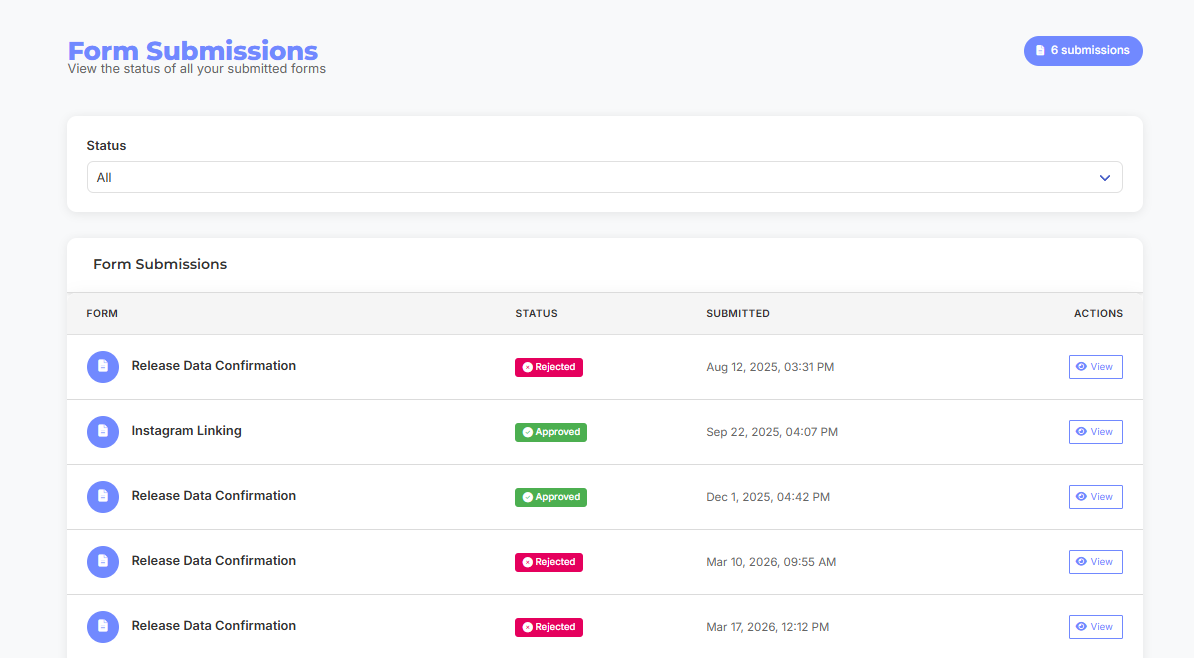
Monitoring: You can check the status of your verification under Account > Form Submissions.
-
Final Resubmission: Once your form is marked as "Accepted," you must manually resubmit your release for review to move forward with the distribution.