If your release has been reopened due to a music license requirement, it means our review team has identified content that requires legal documentation. This usually occurs when using a licensed beat or when your track is a cover song.
Submitting this information is essential to:
-
Ensure your release is approved for distribution.
-
Prevent copyright strikes on digital platforms.
-
Protect your account from future DMCA takedown issues.
Steps to Complete the Licensing Form
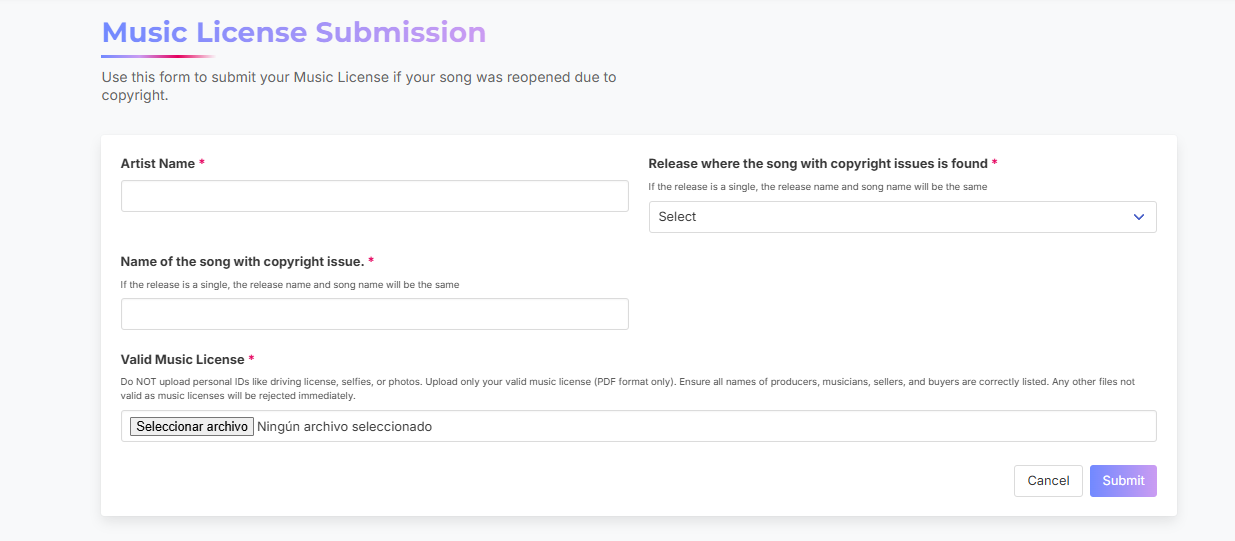
Once you access the form provided in your reopened release, please provide the following details:
-
Artist Name: Enter your official stage name exactly as it appears on the release.
-
Select the Track: Choose the specific song that has the copyright flag.
-
Song Title:
-
For Albums/EPs: Select the specific track title causing the reopening.
-
For Singles: The release title and song title will be the same.
-
Upload a Valid License: Attach your proof of use in the designated field.
-
For Beats: Ensure you have a valid license from platforms like BeatStars.
-
For Covers: You must provide a mechanical license from services like EasySong.com
-
What Happens Next?
After submitting your information, follow these steps to finalize your distribution:
- Check the Status: Navigate to Account > Form Submissions to monitor the progress of your request.
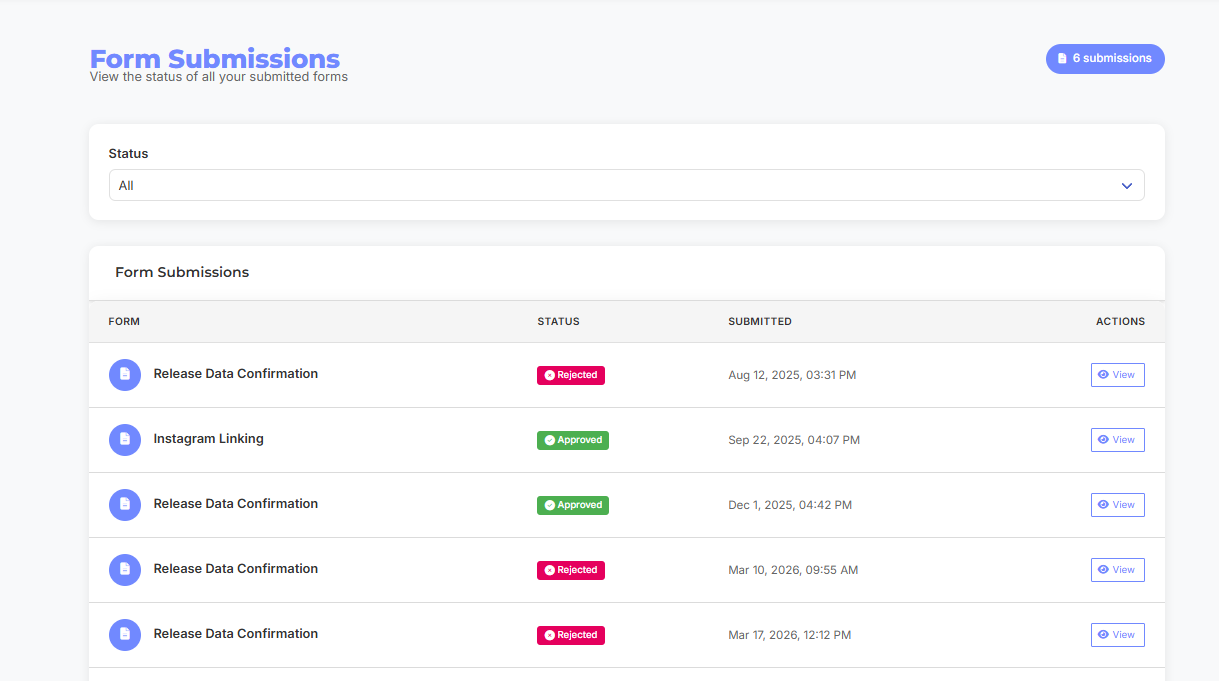
- Resubmit for Review: Once your form status shows as "Accepted," you must manually resubmit your release for review so our team can finalize the approval.
Pro Tip: Make sure your license document is clear, legible, and includes the correct terms of use to avoid further delays.