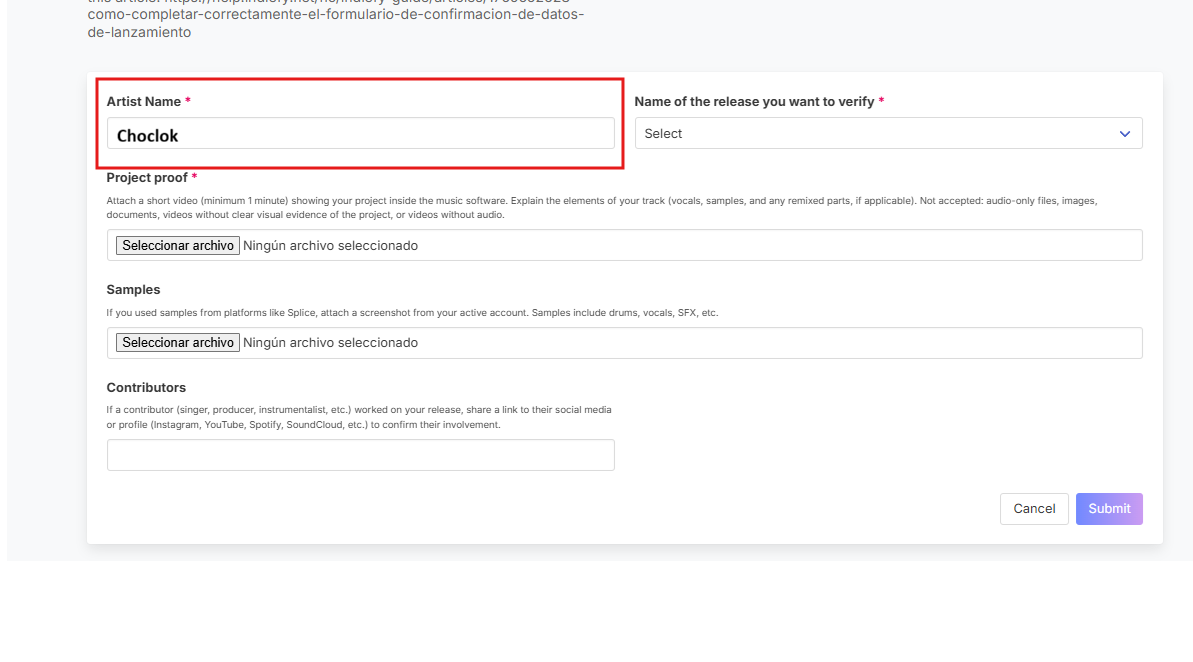
1️. Artist name
Enter your artist name exactly as shown in the release.
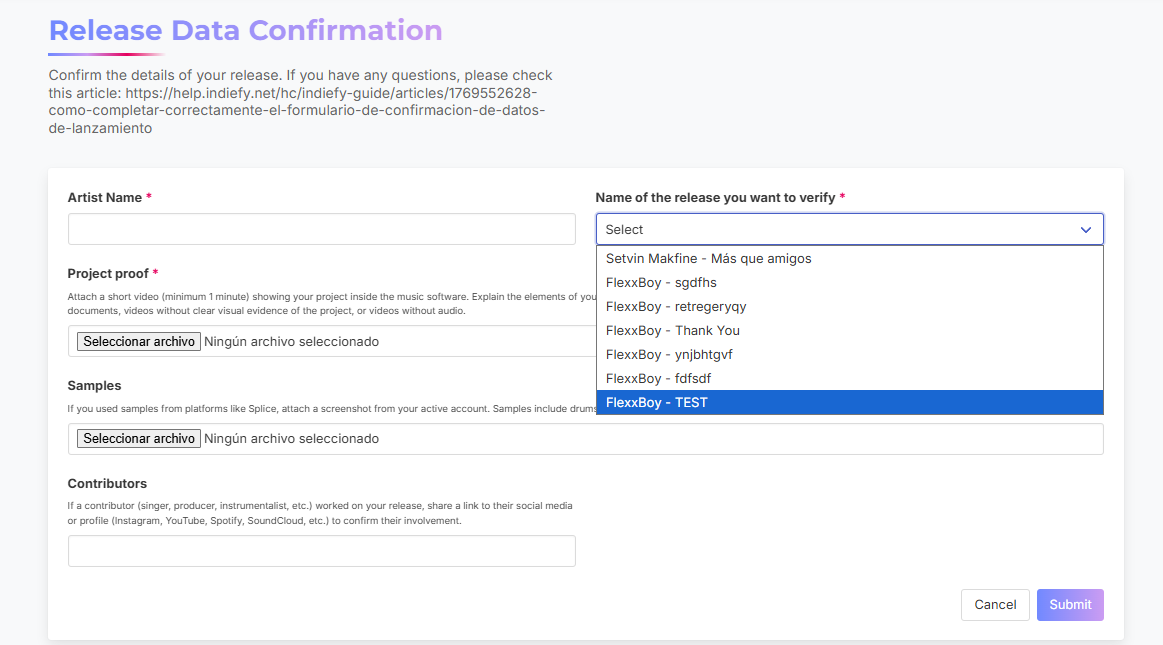
2️. Release name
Select the name of the reopened release, without abbreviations or errors.
🚀Subscribe now and boost your music — it’s free.
3️. Video showing the creation process
You must upload a video showing how the song was created.
Video requirements:
-
3.1 The video must show your DAW or audio editor, including tracks or stems.
-
3.2 It must be short, clear, and precise, clearly showing the project.
-
3.3 The video must include the original project audio (no external audio allowed).
-
3.4 Avoid uploading videos not related to the reopened song.
-
3.5 If you used loops or pads, mention the source of the samples and confirm usage rights.
-
3.6 Do not upload music videos or talking videos; only the DAW should be visible.
-
3.7 Audio, text files or image files are not accepted instead of the required video.
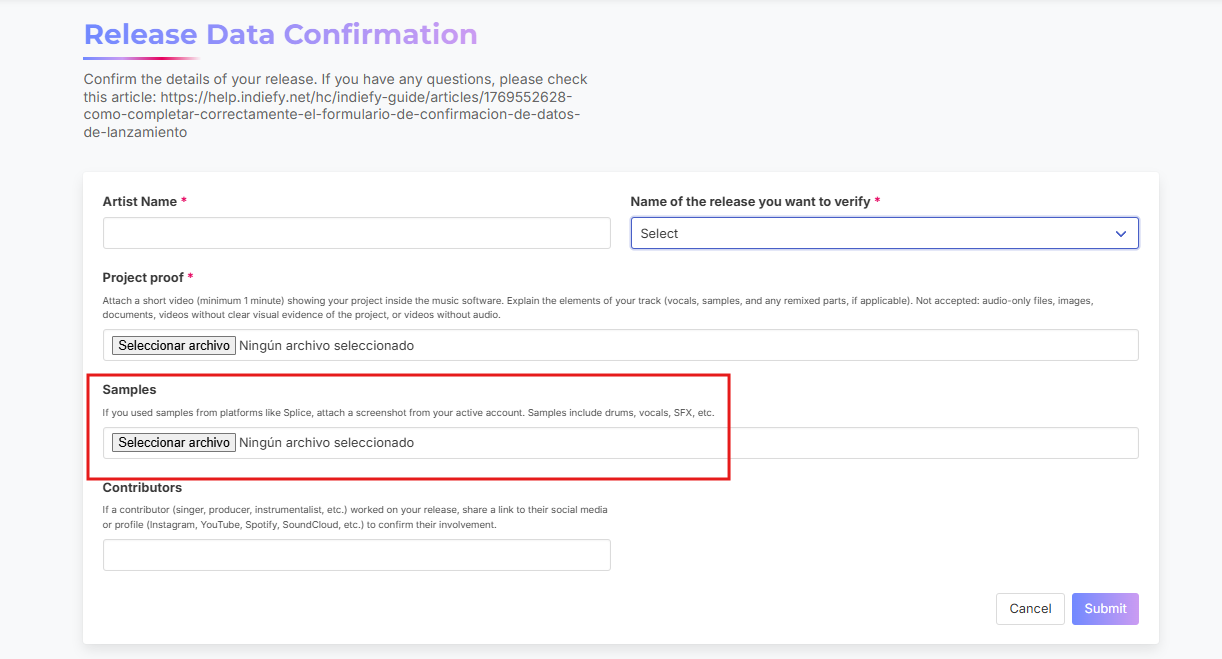
4️. Loops or samples
If loops were used, attach an image showing the source, for example a screenshot from Splice.
5️. Contributors
If your release includes contributors, add links to their social media profiles to confirm their participation.
🚀Subscribe now and boost your music — it’s free.
Form review
After submitting the form:
- The Indiefy team will review the information
You can check the result at:
👉https://indiefy.net/form-submissions
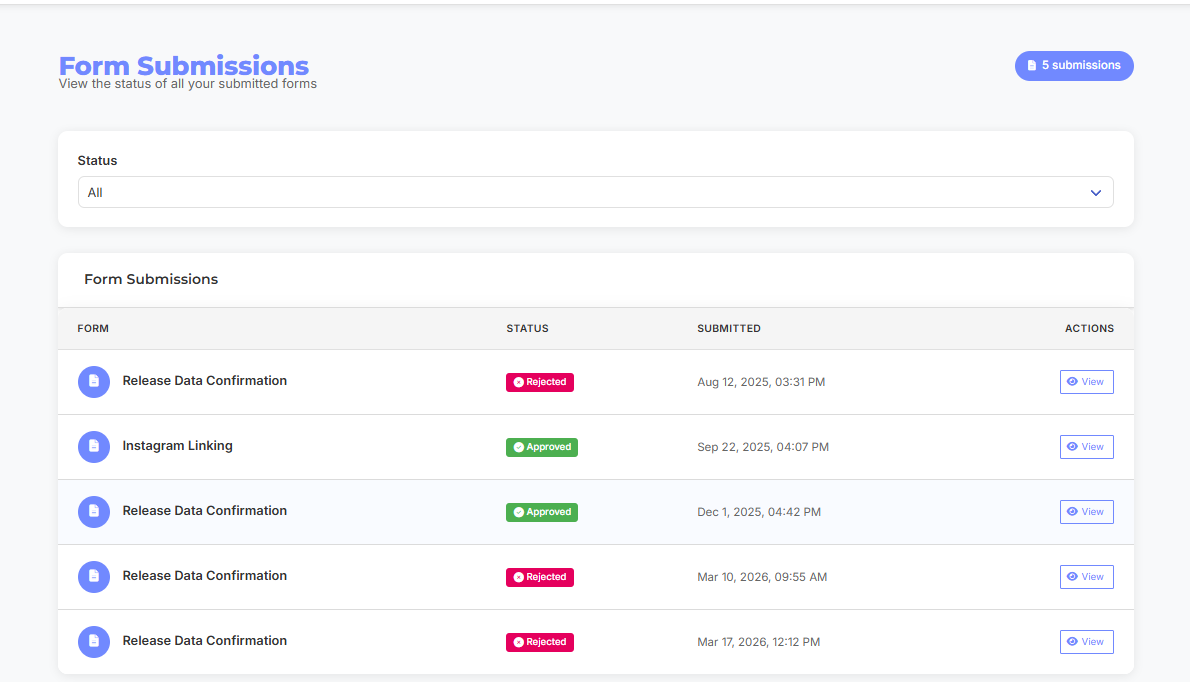
You will see if it was:
-
✅ Approved: YOU MAY RESEND YOUR RELEASE FOR REVIEW
-
❌ Rejected: Check the reason by clicking “View” and correct the information
Final recommendation
Make sure to submit clear, complete, and accurate information to avoid further rejections and delays.
%20(2).jpg)